Fewer money talks. More living together.
Master Splitter turns expenses written in a WhatsApp group into a shared balance, and brings shopping and tasks into one place too.
Four steps, no spreadsheet
Write like always
Send a simple message in the group like "I paid ₪180 for groceries".
The expense is recognized
Master Splitter detects the amount and description and prepares a shared record.
The amount is split
Split evenly or set a custom split between group members.
The balance stays clear
See who paid, who owes, and who to pay back — instead of scrolling the chat.
What it actually looks like
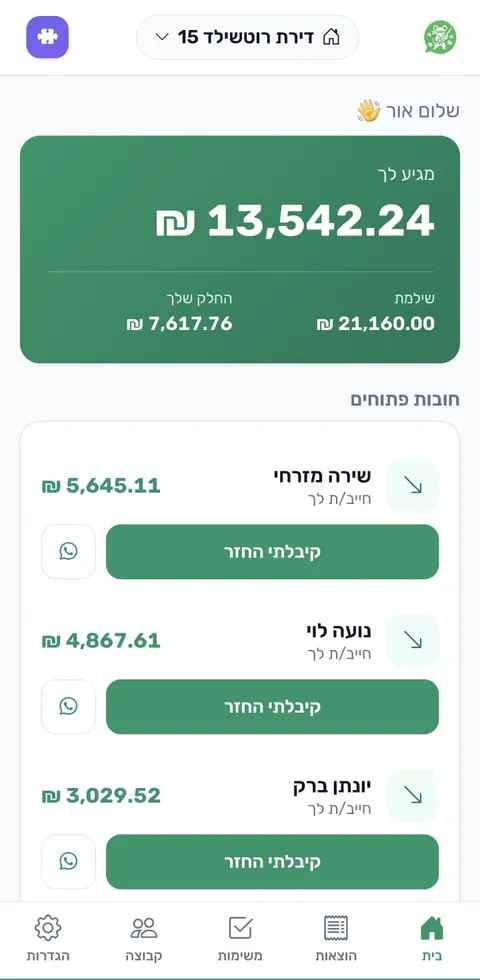
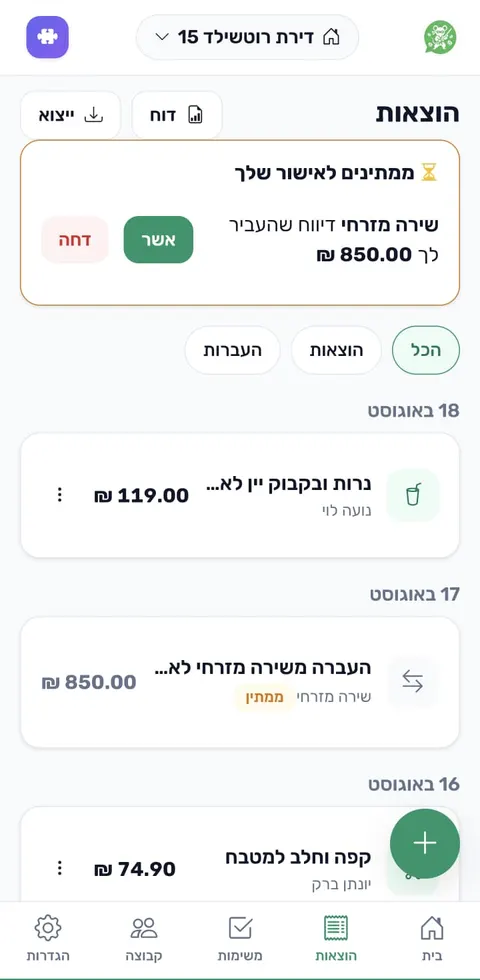
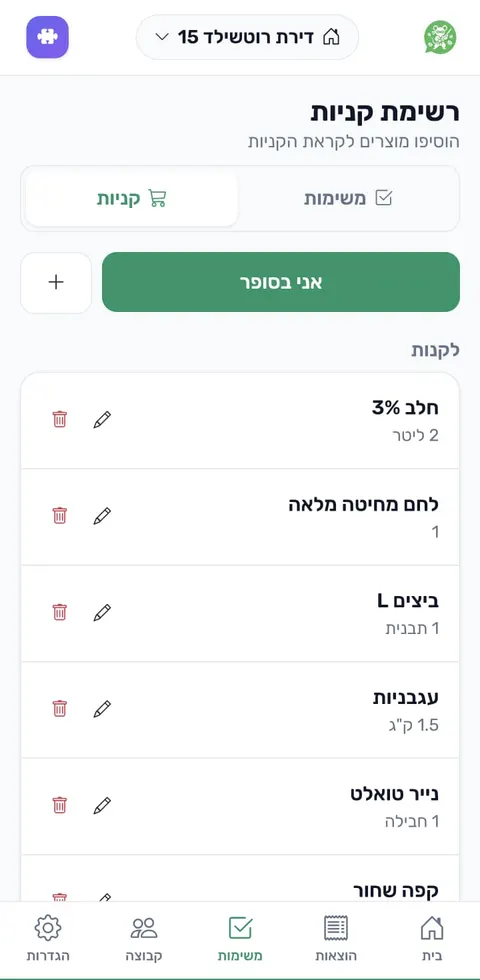
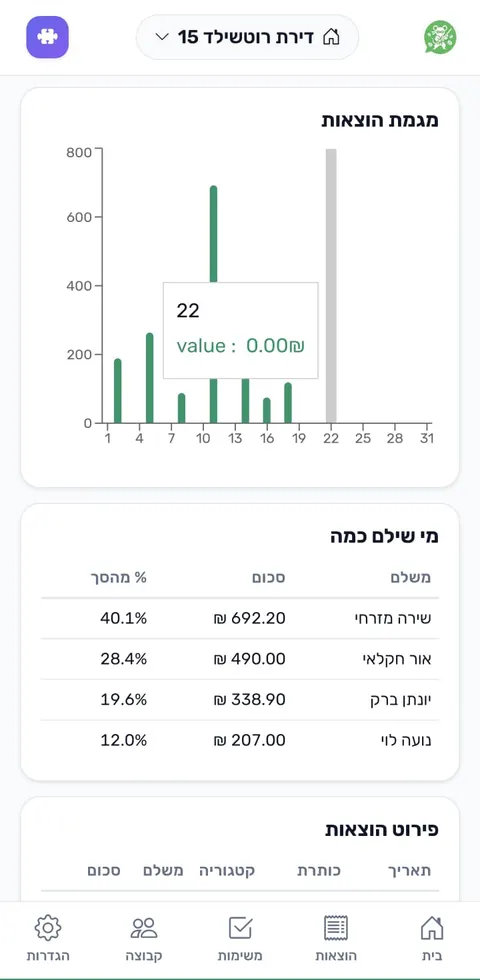
Everything the group needs, in one place
Add expenses manually too, manage a shared shopping list, split tasks, and see a monthly overview. Every group gets its own space and its own invite code.
- Expenses & balances Even or custom splits
- Shopping list One list that updates for everyone
- Shared tasks Clear on what needs doing and who's on it
- Monthly summary Trends, categories, and who paid
We don't keep your whole chat history
The system scans messages in the linked group to detect expenses. A message identified as an expense may be kept alongside the expense record, but unrelated conversations are not stored as chat history in Master Splitter.